Building Telegram Bots with LLMs: A Practical Guide
Telegram bots are the fastest distribution channel for AI products. No app store approval, no complex onboarding — just share a link and users are talking to your product.
This is how I build them.
Why Telegram?
Before we get into code, the strategic case:
- Instant reach: every Telegram user can click a link and start a conversation
- No frontend needed: the chat UI is already built
- Async friendly: users expect asynchronous communication
- Group support: your bot can serve teams, not just individuals
The downside: you're limited to text, images, files, and voice. No custom UI. For many use cases, that's fine.
Architecture
A minimal LLM-powered Telegram bot needs:
- Webhook receiver — listens for Telegram updates
- LLM client — sends messages to Claude/GPT and streams the response
- Context store — keeps per-user conversation history
- Rate limiter — prevents abuse
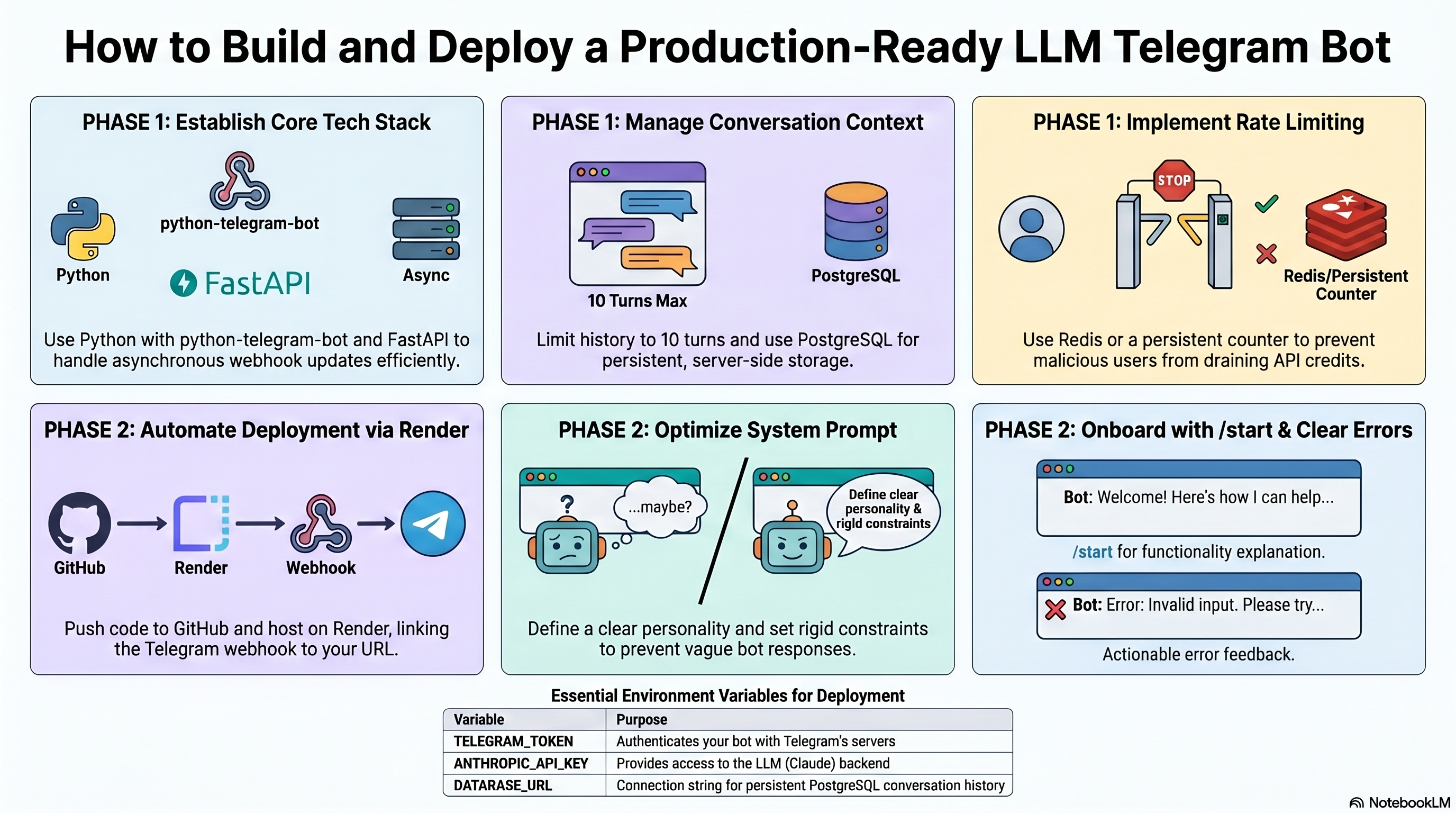
I use Python with python-telegram-bot (v20+, async-first) and FastAPI for the webhook.
Core Code
Here's the minimal setup:
``python
from telegram import Update
from telegram.ext import Application, MessageHandler, filters, ContextTypes
from anthropic import Anthropic
client = Anthropic()
async def handle_message(update: Update, context: ContextTypes.DEFAULT_TYPE):
user_id = update.effective_user.id
text = update.message.text
# Get or init conversation history
history = context.user_data.get('history', [])
history.append({"role": "user", "content": text})
# Stream response from Claude
response_text = ""
msg = await update.message.reply_text("...")
with client.messages.stream(
model="claude-opus-4-6",
max_tokens=1024,
system="You are a helpful assistant.",
messages=history,
) as stream:
for chunk in stream.text_stream:
response_text += chunk
await msg.edit_text(response_text)
history.append({"role": "assistant", "content": response_text})
context.user_data['history'] = history[-20:] # keep last 10 turns
`
## Context Management

The biggest mistake I see: **no context limit**. Claude and GPT have context windows, but they're not infinite, and costs scale linearly with tokens.

My rules:
- Keep the last N turns (I use 10 by default)
- Summarize long conversations instead of truncating
- Store conversation state server-side, not in context.userdata (that's in-memory only)
For persistent storage I use PostgreSQL with a simple schema:
`python
CREATE TABLE conversations (
user_id BIGINT NOT NULL,
role TEXT NOT NULL, -- 'user' | 'assistant'
content TEXT NOT NULL,
created_at TIMESTAMP DEFAULT NOW()
);
CREATE INDEX ON conversations(user_id, created_at);
`
## Deployment

I deploy on Render (free tier for small bots, $7/month for always-on):

1. Push code to GitHub
2. Create a new Web Service on Render
3. Set environment variables: TELEGRAMTOKEN, ANTHROPICAPIKEY
4. Register the webhook: https://api.telegram.org/bot{TOKEN}/setWebhook?url=https://yourapp.onrender.com/webhook
Done. The bot is live.

## Rate Limiting

Without rate limiting, a single malicious user can burn your API credits in minutes.
`python
from datetime import datetime, timedelta
from collections import defaultdict
rate_limits = defaultdict(list)
def check_rate_limit(user_id: int, max_per_hour: int = 20) -> bool:
now = datetime.now()
hour_ago = now - timedelta(hours=1)
# Clean old entries
rate_limits[user_id] = [t for t in rate_limits[user_id] if t > hour_ago]
if len(rate_limits[user_id]) >= max_per_hour:
return False
rate_limits[user_id].append(now)
return True
`
In production, replace defaultdict with Redis for persistence across restarts.
## What Makes a Good Bot
After a dozen bots, the patterns that matter:
**Clear system prompt.** The system prompt is your bot's personality and constraints. Spend time on it. A vague system prompt produces a vague bot.
**/start onboarding.** Tell users what the bot does and how to use it in the first message. Users won't read documentation.
**Error messages.** When the LLM fails or rate limit hits, tell the user clearly. "An error occurred" is useless. "You've sent 20 messages in the last hour — try again in a few minutes" is actionable.
**Group chat handling.** If your bot is in a group, it should only respond when mentioned (@botname). Use filters.MENTION` to filter.
Conclusion
Telegram bots are underrated as a delivery mechanism for AI products. Low friction for users, fast to build, easy to iterate.
If you want to build one but don't know where to start — message me on Telegram. I can have a working bot deployed for you in 24-48 hours.

Comments (0)
Be the first to leave a comment.
Leave a Comment